> For the complete documentation index, see [llms.txt](https://docs-v2.autoforwardtelegram.com/llms.txt). Markdown versions of documentation pages are available by appending `.md` to page URLs; this page is available as [Markdown](https://docs-v2.autoforwardtelegram.com/modify-content/ai-mode/how-to-get-your-gemini-api-key.md).
# How to Get Your Gemini API Key?
### 🔑 How to Get Your Gemini API Key (Google AI Studio)
To use AI features powered by Gemini (Google’s Large Language Model) inside AutoForward, you’ll need an API key from Google AI Studio.
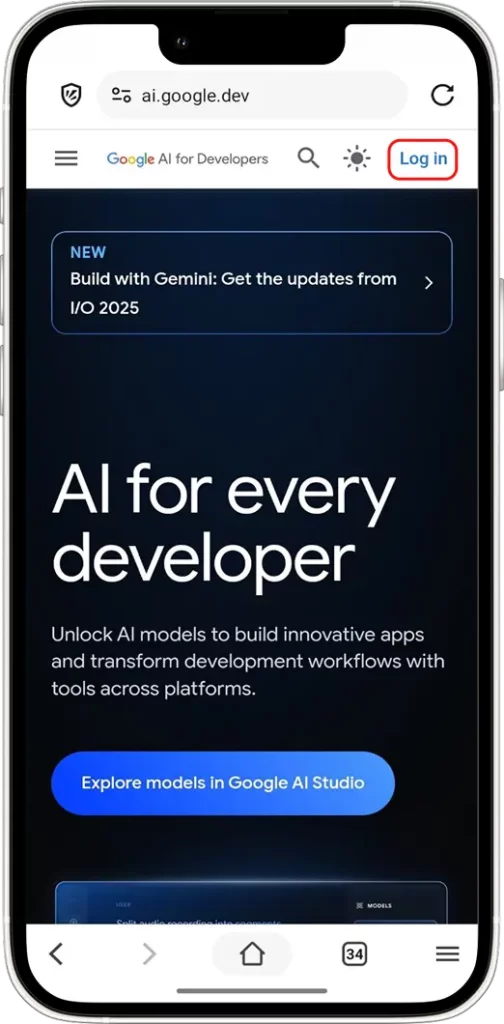
**🧩 Step 1: Log in to Your Gemini Account**
* Firstly, start by visiting [**ai.google.dev**](https://ai.google.dev/) and sign in with your **Google Account**—This must be the same account linked to your Gemini profile.
* Once logged in, you’ll land on your account dashboard.
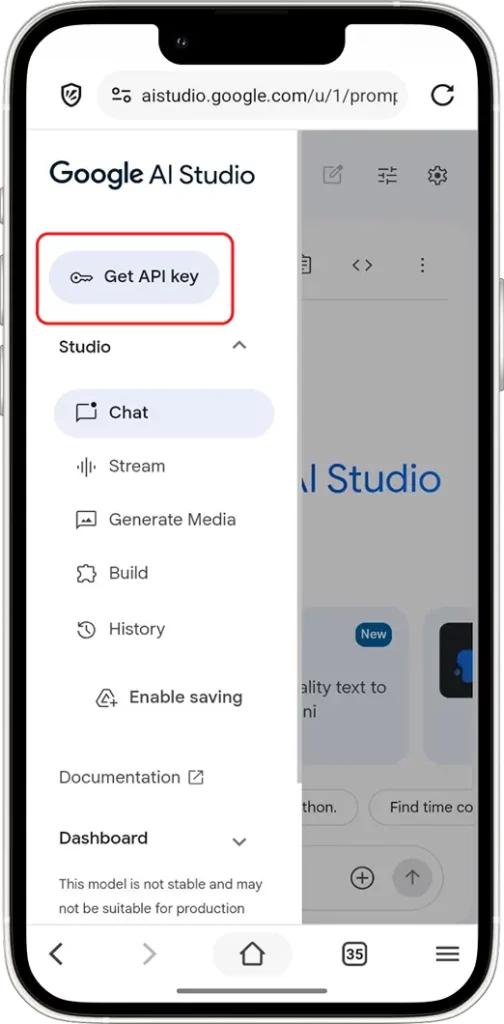
**📑 Step 2: Open the API Settings**
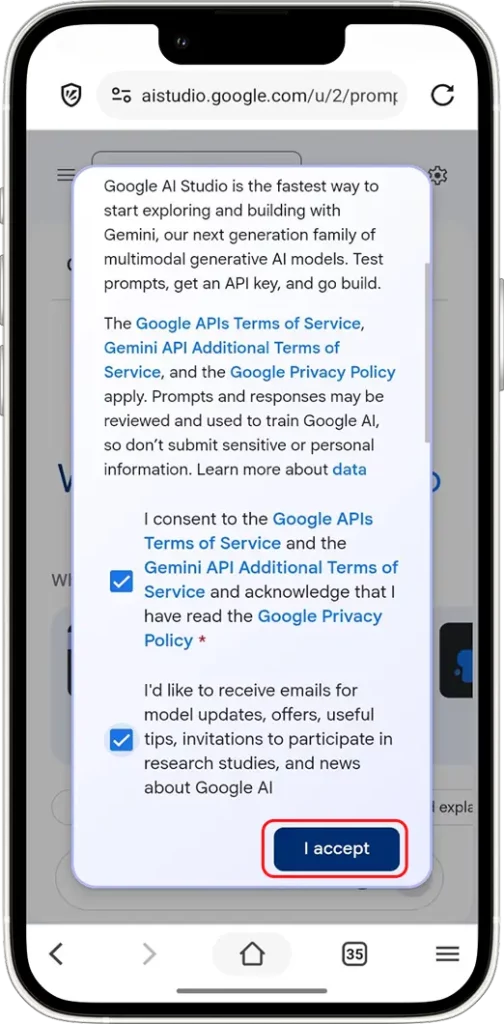
* Next, head over to the **API Key** section inside your account dashboard. If this is your first visit, Gemini will ask you to accept the API terms of use.
* After accepting the terms, you’ll reach the API Key dashboard, where all key management happens.
👉 [**Click here to go directly to the API Key page**](https://aistudio.google.com/apikey)
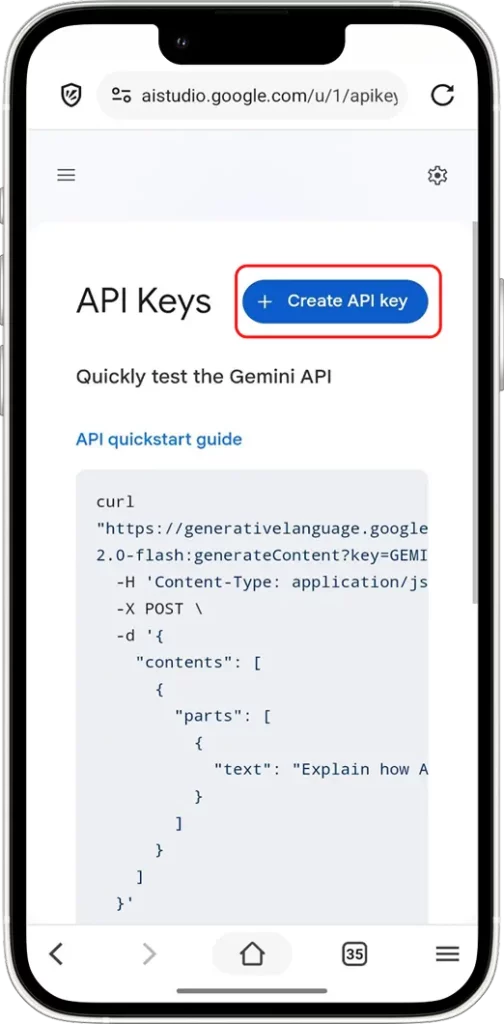
**🔑 Step 3: Create New Gemini API Key**
* Then, click the **`“Create API Key”`** button to generate a new key instantly.
* This key lets your apps connect with Gemini while respecting the permissions you define.
**📦 Step 4: Copy and Store Your API Key**
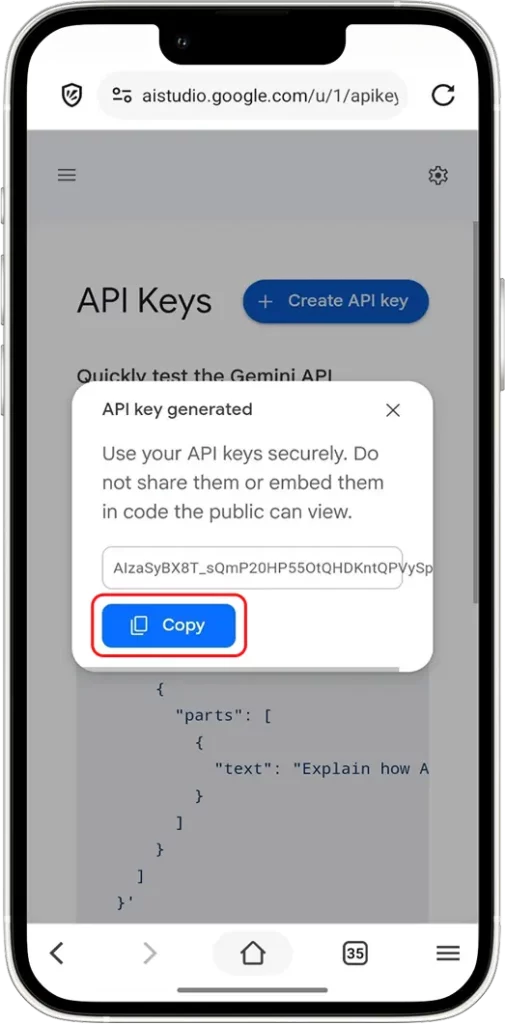
* Right after creating your API key, a pop-up will appear with your **Secret Key**.
* Click the **`"Copy"`**and store this information in a secure password manager. Although Gemini allows you to revisit this info while the key remains active, it’s best to save it right away.
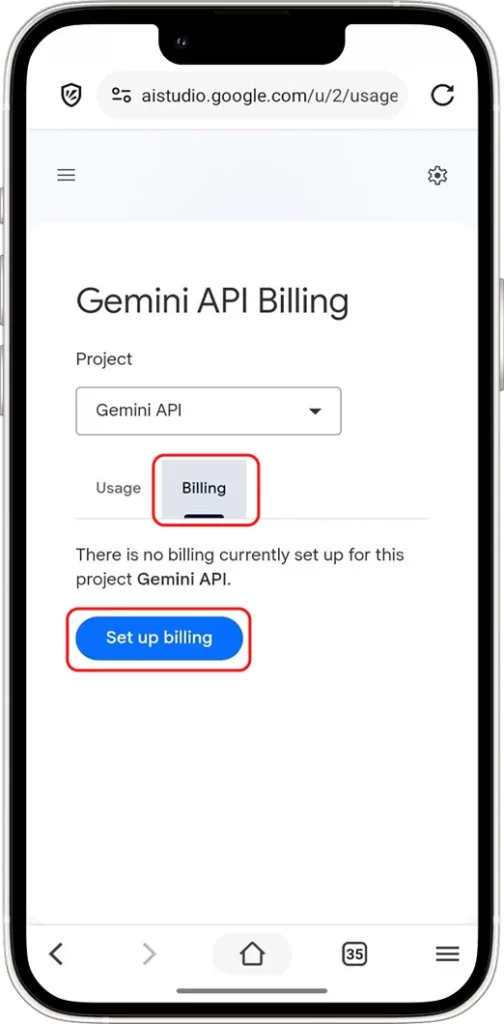
**💵 Step 5: Add Billing Information (Optional but Recommended)**
You **can skip billing** if you only need the free tier. However, it’s strongly advised to add billing in the following situations:
* You’re running high-frequency trading bots
* You plan to use third-party apps at scale
* You want to avoid API rate limits
* Use AI Mode with the [**Auto Forward Messages**](http://t.me/Auto_Forward_Messages_Bot) bot at high and continuous intensity (e.g., for nonstop message rewriting, translation, OCR, cryptocurrency analysis, or large-scale content generation, etc.)
Accordingly, adding billing ensures uninterrupted access and unlocks the full power of Gemini’s infrastructure.
👉 [**Click here to manage billing settings**](https://aistudio.google.com/usage?tab=billing)
#### 🧠 Frequently Asked Questions
**1. Is the Gemini API free to use?**
Yes, Gemini offers a free tier. That said, there are usage limits. Heavy use may require a paid plan.
**2. Can I use multiple API keys on Gemini?**
You can create multiple API keys to separate tools, environments, or permission scopes.\
\ However, keep in mind that usage quota is tied to your Google account—not to individual API keys. In other words, no matter how many keys you generate, all usage counts toward the same account-level quota.
**3. Is there a quota or usage limit with the Gemini API Key?**
Yes. Free-tier users face limits. If you exceed the limits, your access might be temporarily restricted. To avoid that, consider upgrading by adding billing info.
**4. What happens if I exceed the quota?**
You’ll likely face temporary access blocks. To prevent this, either wait for your quota reset or upgrade your usage level with a billing method.
**5. Does using Gemini API Key for OCR on images cost more than processing plain text?**
Yes. Unlike text processing, OCR requires analyzing visual data, which consumes significantly more tokens. Therefore, it generally results in higher costs.
**6. Does the length of the text affect billing?**
Yes, billing is based on the number of tokens processed by the Gemini API.\
\ Consequently, the longer your input or output text, the more tokens are used — leading to higher costs.
#### ❣️ Final Thoughts
Getting your **Gemini API key** is straightforward—yet managing it wisely is critical. Whether you’re automating trades or syncing with a portfolio app, always prioritize security.
By following this step-by-step guide, you’ll gain access to your Gemini API key smoothly and safely. Now, you’re ready to connect and create smarter workflows.