> For the complete documentation index, see [llms.txt](https://docs-v2.autoforwardtelegram.com/llms.txt). Markdown versions of documentation pages are available by appending `.md` to page URLs; this page is available as [Markdown](https://docs-v2.autoforwardtelegram.com/modify-content/ai-mode/ai-smart-rewrite.md).
# AI Smart Rewrite
### 🧠 Smart AI Rewrite – UI Guide
This section explains how to configure and use the Smart AI Rewrite feature inside the AutoForward app. With this feature, messages can be automatically rewritten by AI before being forwarded.
***
#### 📲 Step-by-Step Walkthrough
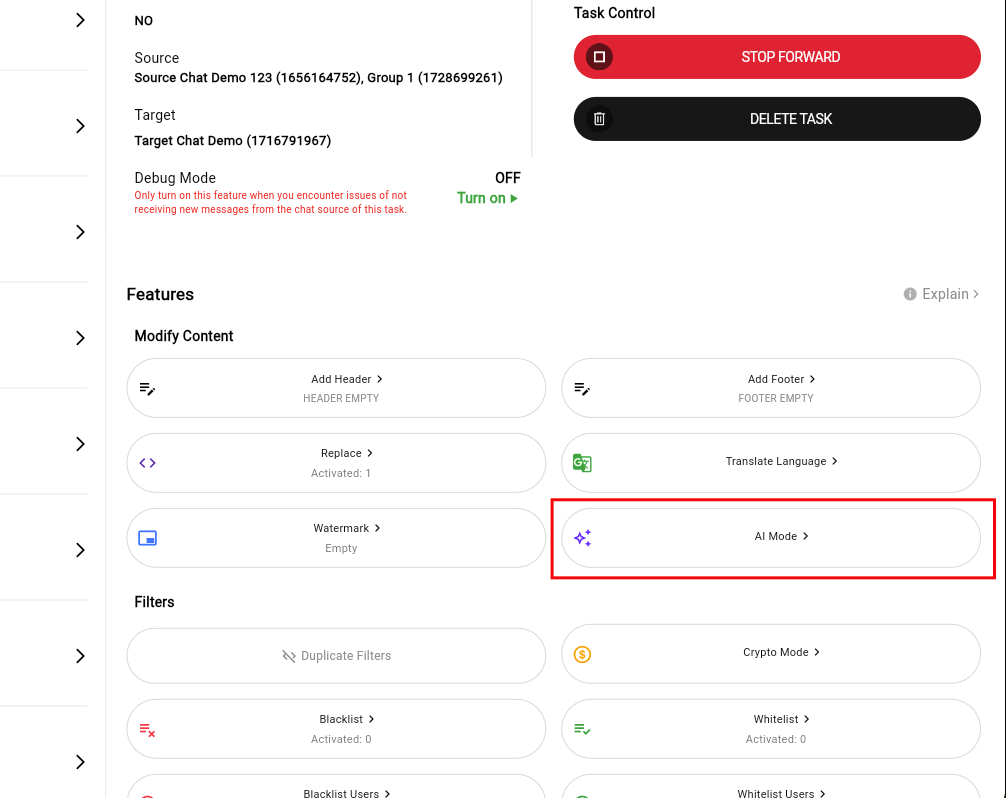
1. **Select the Task you want to apply AI MODE to**
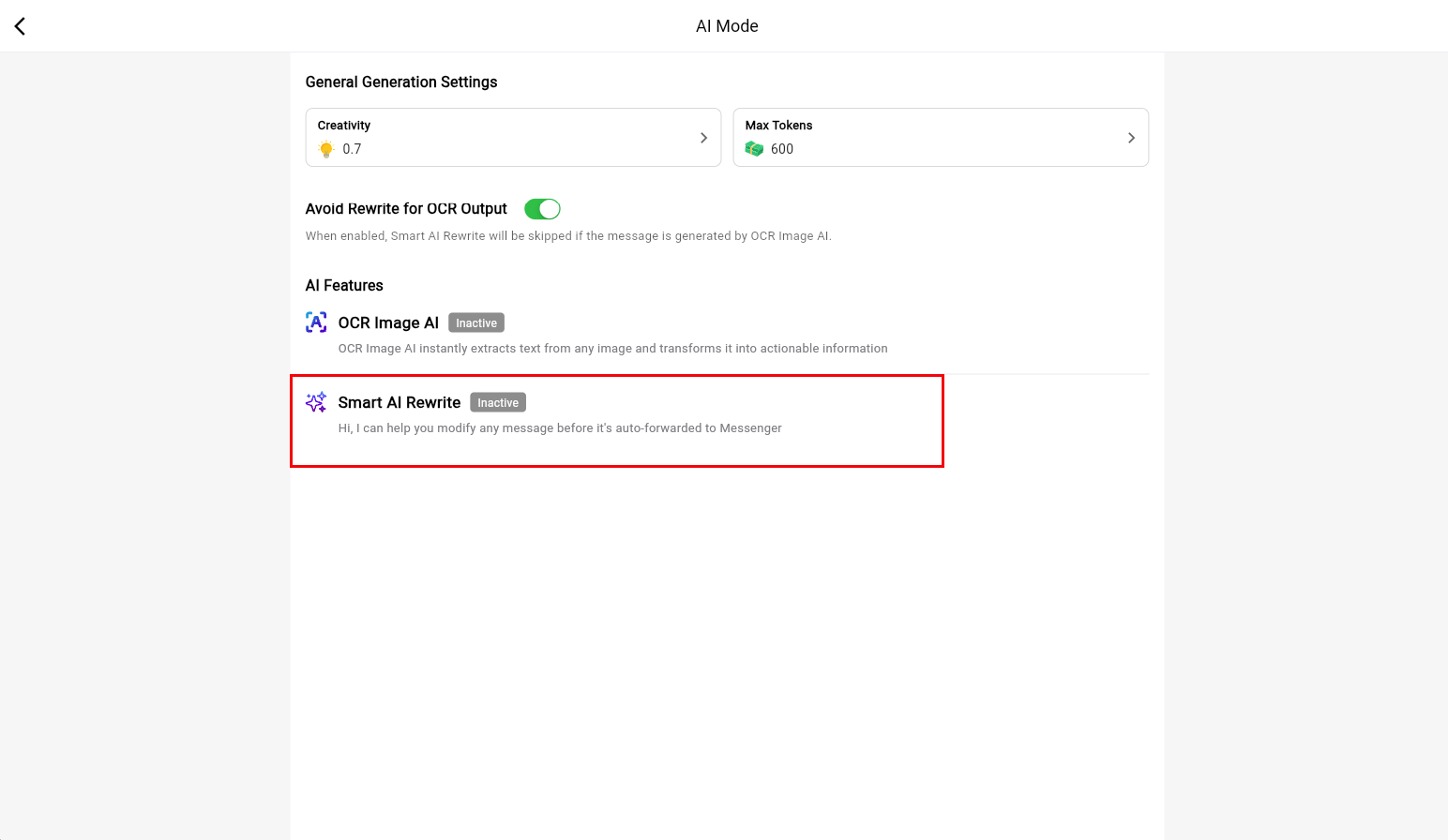
2. **Select the AI MODE option inside the bot**
3. **Select Smart AI Rewrite**
**4. Initial Screen (Feature Disabled)**
* Model: You must first select an AI model (e.g., gpt-3.5-turbo, gemini-pro)
* Toggle: The “Smart AI Rewrite” toggle is off by default.
***
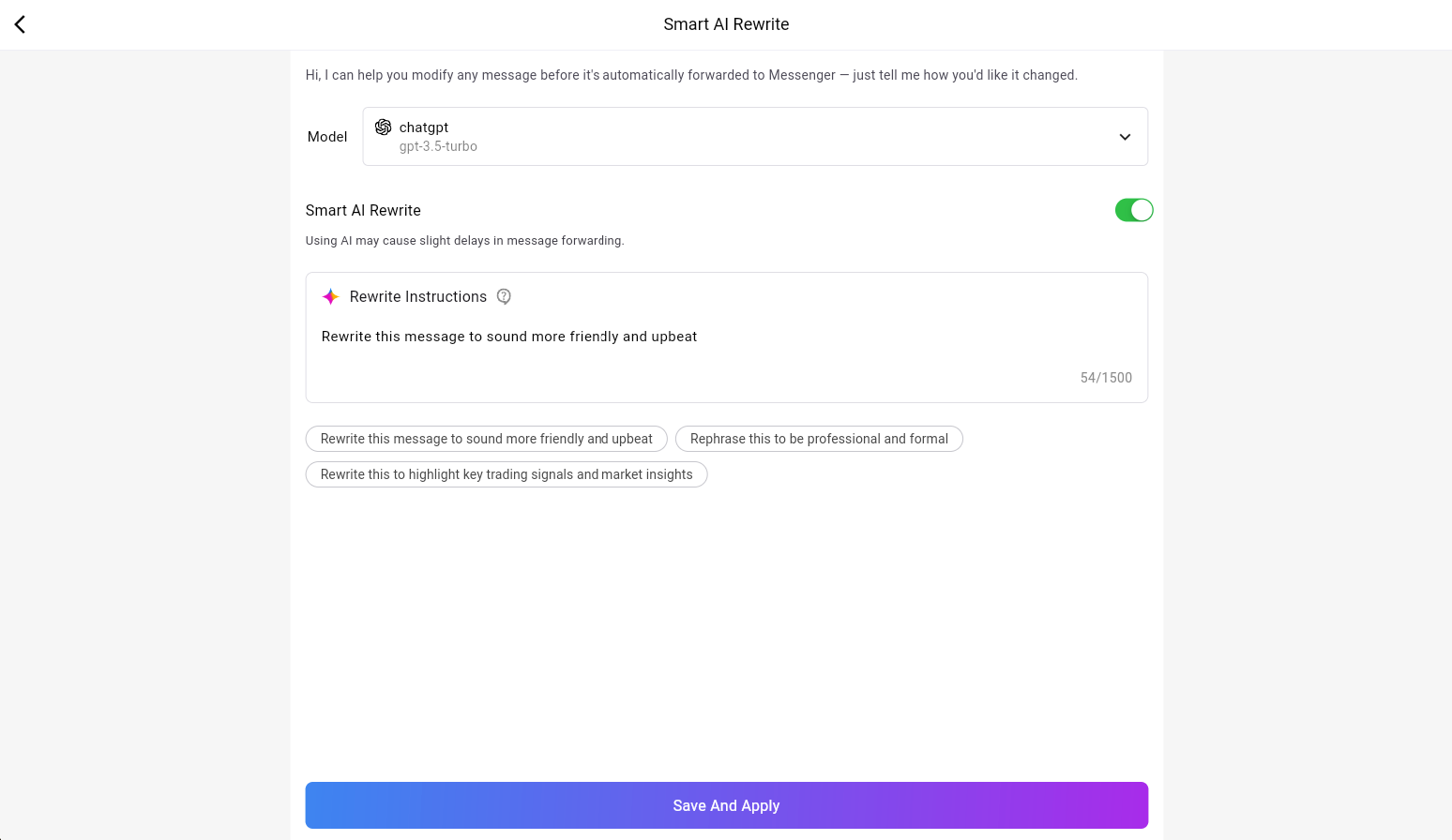
**② After Enabling Smart AI Rewrite**
Once the feature is toggled ON:
* ✅ Model Selected: Choose your preferred model (e.g., ChatGPT).
* ✅ Rewrite Instructions:
Enter a prompt to guide the AI on how to rewrite the message.
*Example:*
> “Make this more casual and humorous.”
> “Polish grammar and simplify complex words.”
* 🧠 Predefined Templates:
Quickly apply common rewrite goals by tapping suggested buttons:
* Rewrite to sound more friendly and upbeat
* Rephrase to be professional and formal
* Highlight key trading signals and market insights
***
#### ⚠️ Notes
* Using AI may introduce slight forwarding delays due to processing time.
* You must have a valid OpenAI API Key and enough quota to use this feature.
* Rewrite instructions are optional but help produce more tailored results.