> For the complete documentation index, see [llms.txt](https://docs-v2.autoforwardtelegram.com/llms.txt). Markdown versions of documentation pages are available by appending `.md` to page URLs; this page is available as [Markdown](https://docs-v2.autoforwardtelegram.com/filters/cleaner.md).
# Cleaner
{% hint style="success" %}
### **Download Mobile App or use Web**
✅ **iOS** → [App Store](https://apps.apple.com/us/app/autoforward-for-telegram/id6447486093)\
✅ **Android** → [Google Play](https://play.google.com/store/apps/details?id=com.autoforward.telegramforward)\
✅ **Web** → [web.autoforwardtelegram.com](https://web.autoforwardtelegram.com/)
{% endhint %}
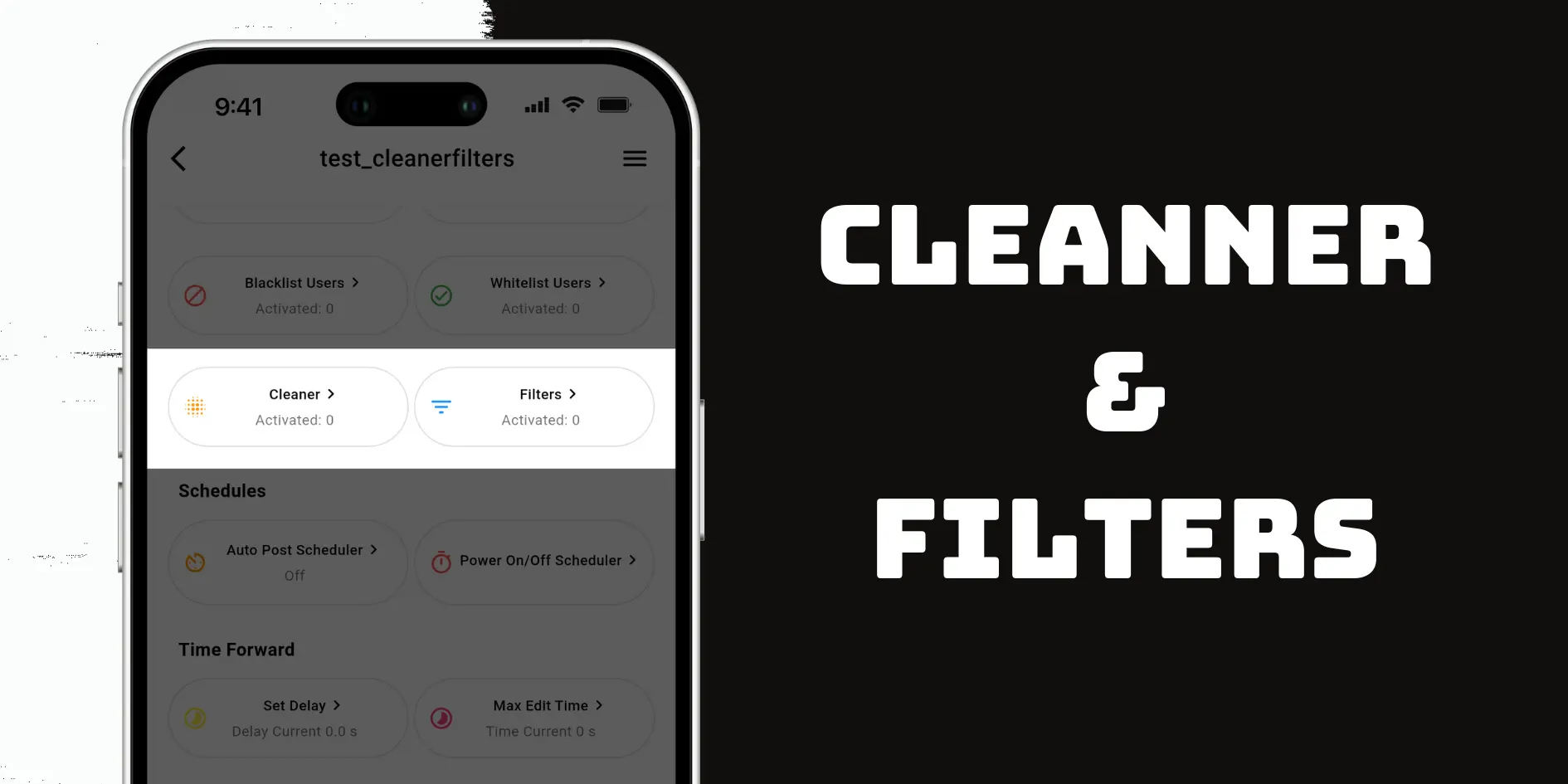
If you want to skip certain Telegram messages or clean up their content before forwarding, Auto Forward Messenger’s Cleaner and Filters features are exactly what you need.[ **The Filters feature**](/filters/whitelist.md) **lets you skip entire messages** based on specific conditions, while **the Cleaner actively removes** unwanted elements from within each message—such as links, emojis, hashtags, or other clutter.\
\
Whether you’re managing a crypto channel, curating content, or forwarding to a group, these tools give you more control and better automation.
### 🧹 What Is the Cleaner Feature?
The Cleaner feature in Auto Forward Messenger helps you remove specific elements from forwarded messages—like emojis, hashtags, links, URL previews, and other unwanted content—before they reach your target chat.\
\
This ensures your forwarded messages look clean and professional every time.
### Step-by-Step Guide: How to Use the Cleaner
To enable Auto Forward Messenger Cleaner and Filters, simply follow these steps:
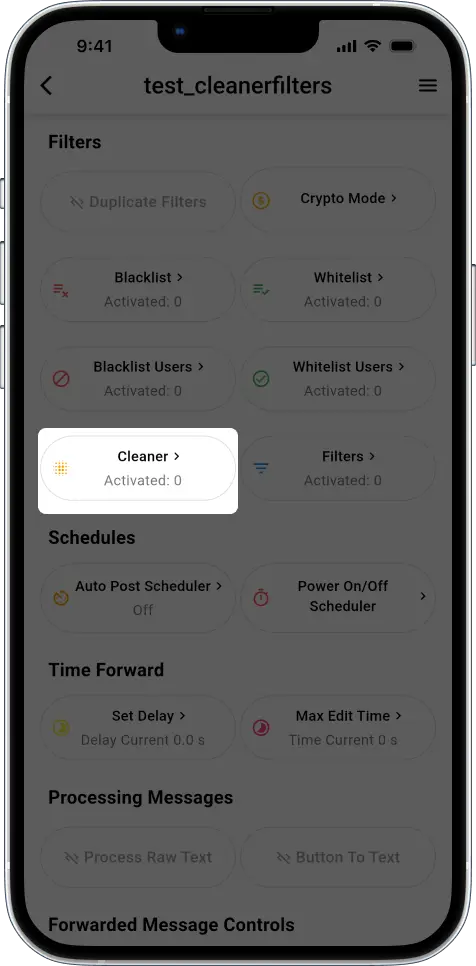
1. Open your auto-forward task inside the app.
2. Scroll down and locate the Filters section.
3. Tap the **Cleaner** tab to begin adjusting message cleanup settings.
**Example 1: Remove URL Previews Automatically**
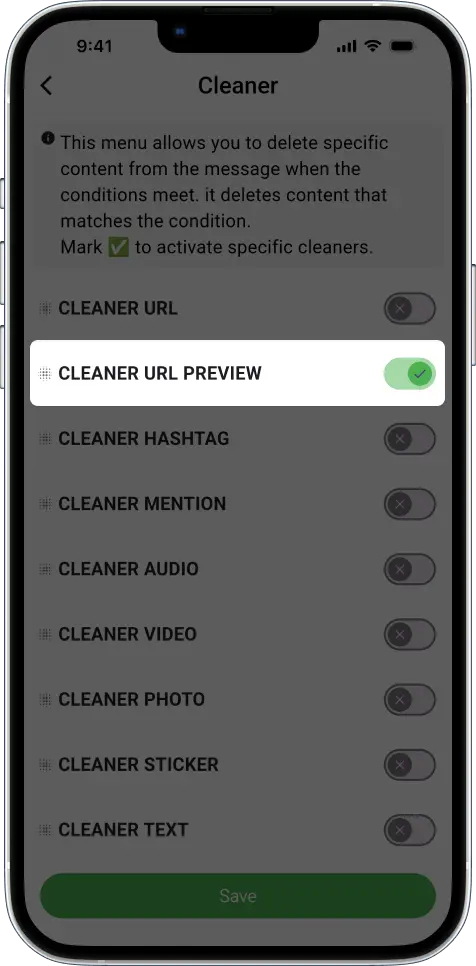
If your message includes a link and shows a preview, turn on the **Cleaner → URL Preview** toggle. Then, re-send the message to your source chat. As a result, the forwarded version won’t include the preview.
{% hint style="info" %}
This menu is used to remove text, video, photo etc from messages if the **conditions match.** It's basically **Filters** but instead of ignoring or allowing messages, **it removes the content it matches**\
\
Check ✅ if you want to remove a certain filter.
{% endhint %}
**Example 2: Remove Emojis and Hashtags**
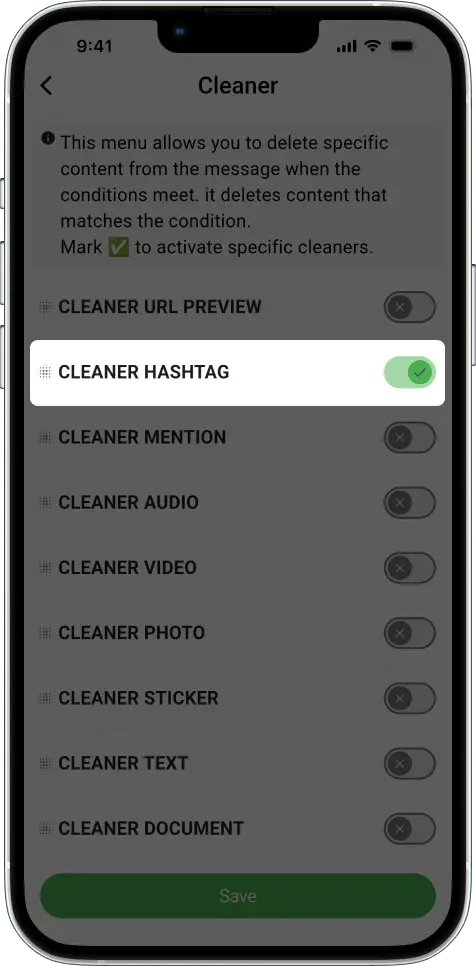
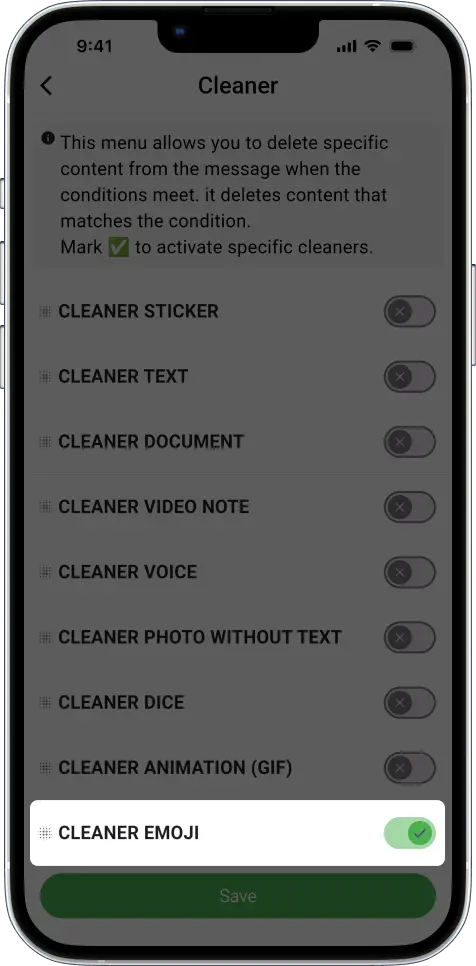
Looking for a cleaner or more formal tone? Enable the Emoji and Hashtag options in the Cleaner tab. The message will be forwarded without these extra elements.
**Example 3: Strip URLs From Messages**
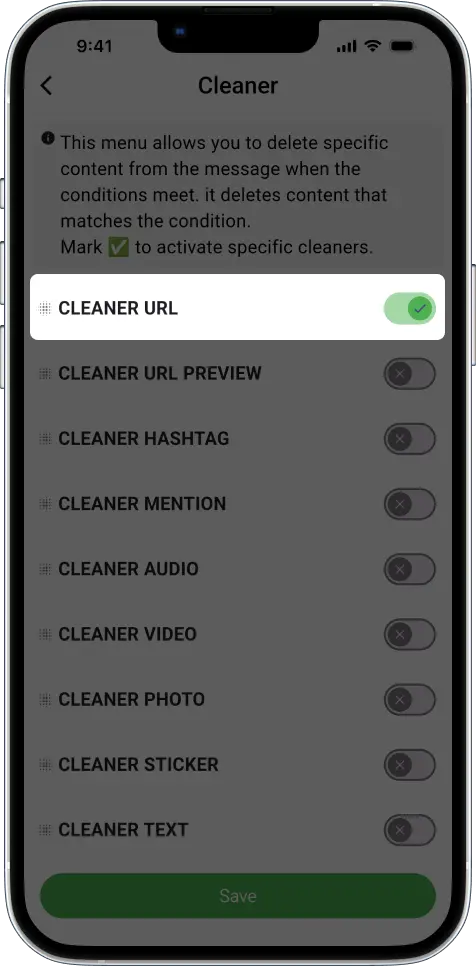
To completely remove clickable links, activate **Cleaner → CLEANER URL**. From that point on, forwarded messages will be link-free.
#### 🔍 Available Cleaner Options
| Cleaner Type | Description |
| ------------------ | -------------------------------------------------------------- |
| Document | Remove document attachments |
| Video | Remove video messages |
| Audio | Remove audio messages |
| Sticker | Remove sticker messages |
| Text | Remove messages that contain any text (with or without media) |
| Photo | Remove photo messages |
| Photo Without Text | Remove photo-only messages with no caption or text |
| Hashtag | Remove messages containing hashtags (e.g. #crypto) |
| Mention | Remove messages with mentions (e.g. @username) |
| URL | Remove messages that contain links (e.g. https\://) |
| URL Preview | Remove embedded link previews |
| Video Notes | Remove round-style video messages (Telegram’s circular videos) |
| Voice | Remove voice message recordings |
| Emoji | Remove messages containing only emojis |
| Dice | Remove dice or mini-game messages |
| Animation (GIF) | Remove animated GIFs |
#### Telegram Auto Forward Cleaner vs. Filters – What’s the Difference?
Here’s a quick breakdown:
| Feature | What It Does |
| ------------------------------------ | ------------------------------------------------------------------------ |
| **Cleaner** | Removes parts of a message (e.g., emojis, URLs, hashtags) from a message |
| [**Filters**](/filters/whitelist.md) | Skips or blocks entire messages if they match certain conditions |
➡️ For the best results, use both together. That’s why many Telegram admins, content curators, and crypto traders trust Auto Forward Messenger—it gives them cleaner automation and smarter control.
{% embed url="" %}
#### Final Thoughts on Telegram Auto Forward with Cleaner and Filters
In conclusion, the Cleaner and Filters features offer flexibility and precision. Whether you’re removing visual clutter or filtering out unwanted messages, these tools empower you to customize your Telegram workflow effectively.\
\
👉 Try them today. Open [Auto Forward Messenger](https://blog.autoforwardtelegram.com/how-to-auto-forward-telegram-messages.html) and customize your automation for a better Telegram experience!
***