> For the complete documentation index, see [llms.txt](https://docs-v2.autoforwardtelegram.com/llms.txt). Markdown versions of documentation pages are available by appending `.md` to page URLs; this page is available as [Markdown](https://docs-v2.autoforwardtelegram.com/extras/faq/telegram-two-step-verification-2fa-what-it-is-and-how-to-enable-it.md).
# Telegram Two-Step Verification (2FA): What It Is and How to Enable It

#### What is Telegram Two-Step Verification?
**Two-step verification (2FA)** on Telegram is an added security layer that requires a second password in addition to the SMS code. This means that even if someone gains access to your SIM or OTP code, they still can’t log in without the 2FA password.
Enabling this feature ensures that your phone number alone is not enough to access your account. It protects you from unauthorized logins and helps prevent account hijacking.
> **Key point:** Without the 2FA password, no one can log into your [**Telegram**](https://telegram.org/) account—even if they have your OTP code.
***
### How to Enable Telegram Two-Step Verification (2FA)
Activating Telegram Verification only takes a few minutes. Still, it can save you from the stress of recovering a hijacked account later. Follow these steps to protect your data:
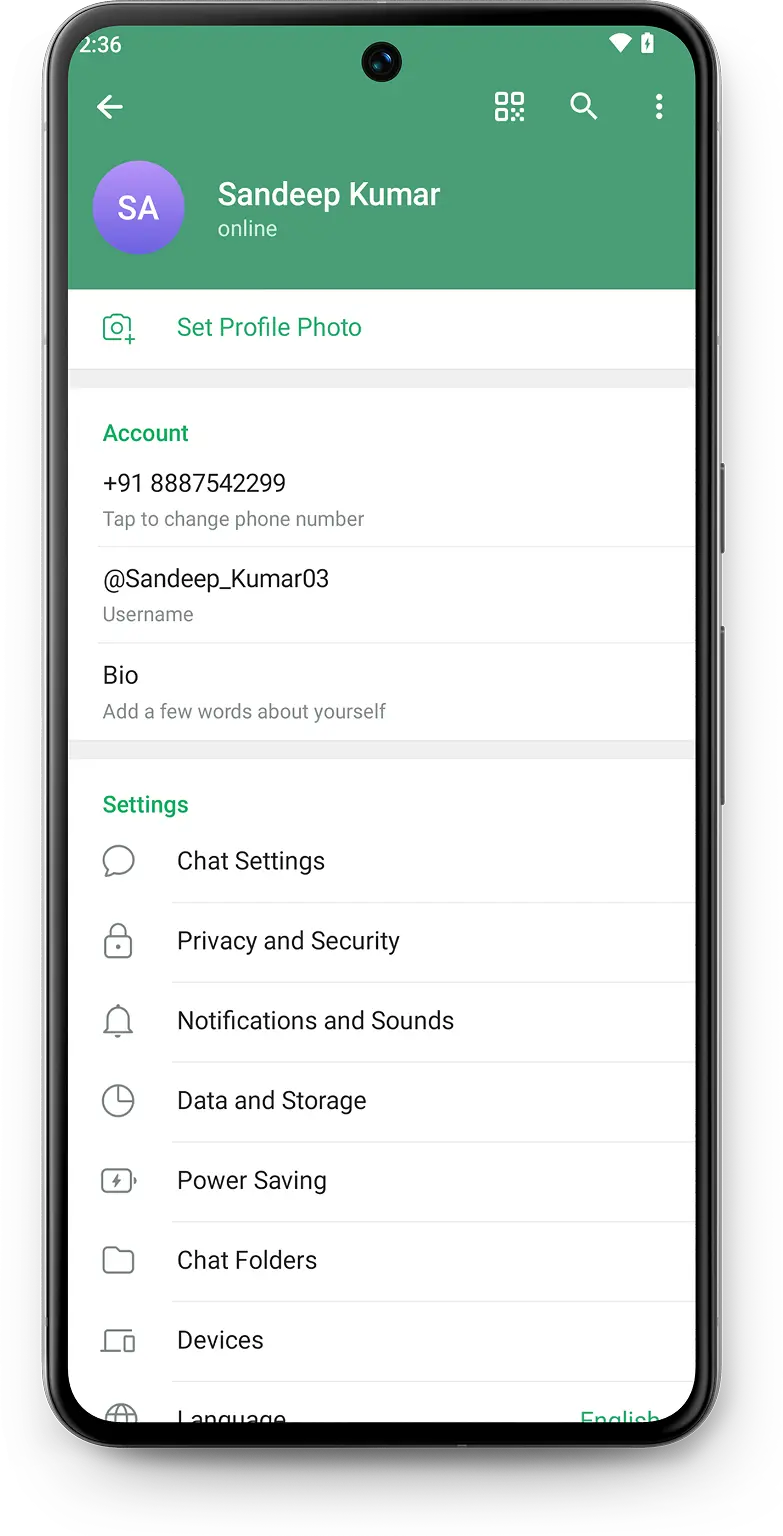
#### 1. Go to **Telegram Security Settings**
To set up Two-Step Verification, open the Telegram app and tap `Settings > Privacy & Security`.
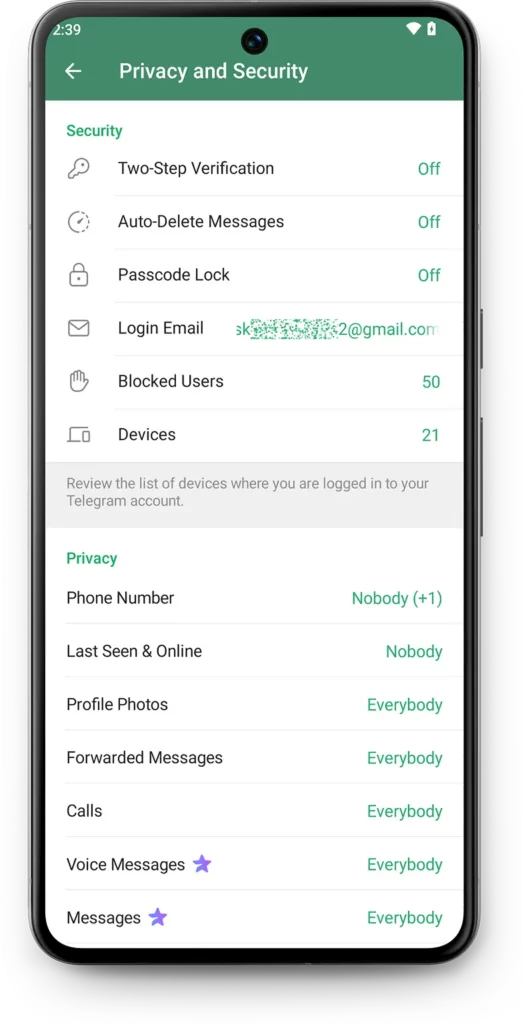
#### 2. Select **Two-Step Verification** Option
Scroll down to the `Security` section and select `Two-Step Verification`.
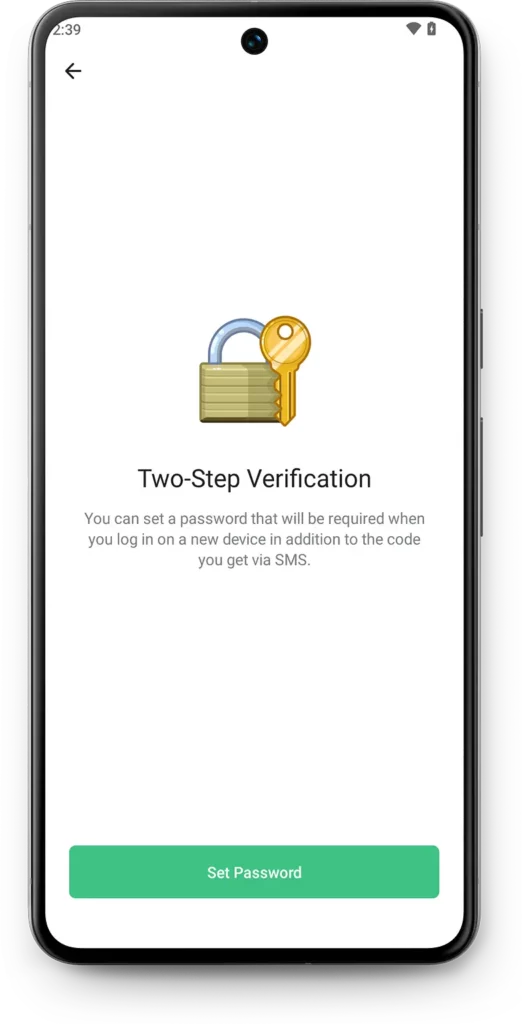
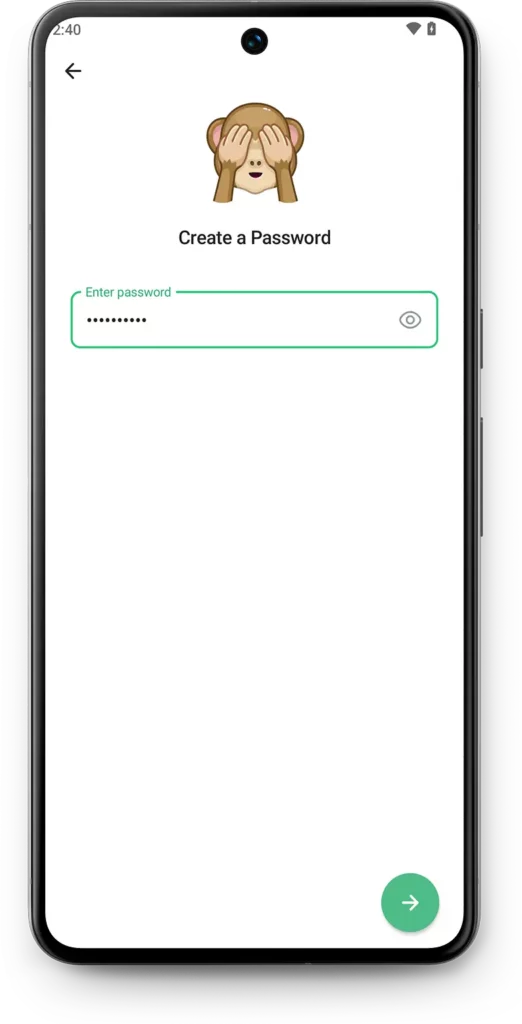
#### 3. Create a Strong **Telegram 2FA Password**
Tap `Set Password`, then create a password that’s:
* Unique and not used anywhere else
* At least 8 characters long
* A mix of uppercase, lowercase, numbers, and symbols
> **Tip:** Use a phrase you’ll remember, such as “WorkOn!Security\_2025”
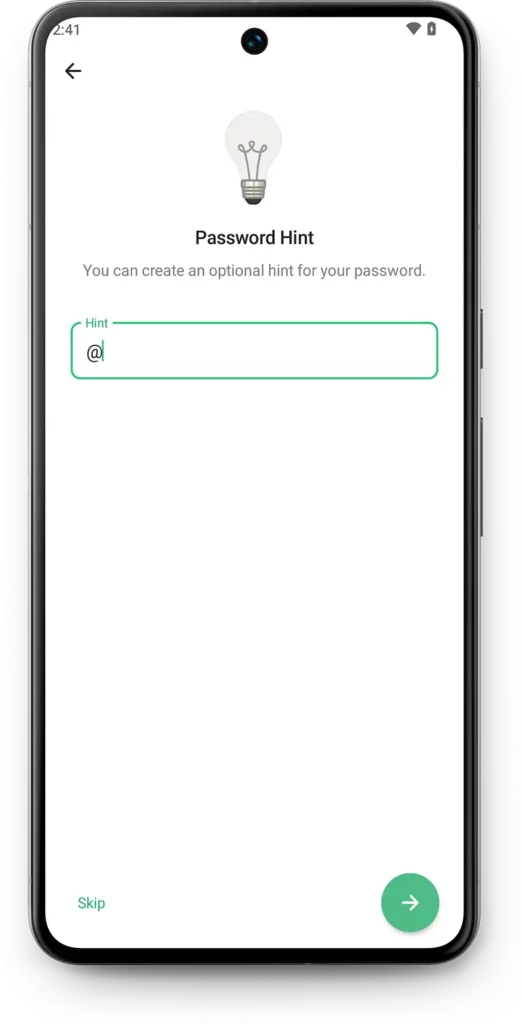
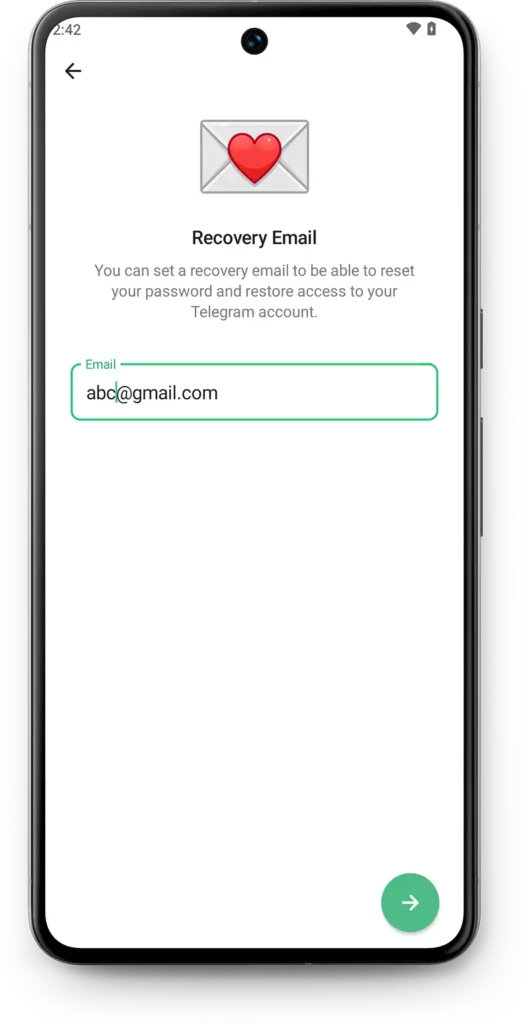
#### 4. Add a Password Hint and Verify Your **Recovery Email for Telegram 2FA**
* Use a hint that’s **helpful but not obvious**
* Enter a recovery email and **verify it via code**—this step is crucial for future resets
#### 5. Finalize Setup for **Two-Step Verification on Telegram**
This step is **critical** in case you forget your 2FA password.
* Enter a **valid recovery email address**
* Telegram will send a **verification code** to that email
* Confirm it to complete the setup
**Note:** Without this email, resetting your 2FA password later may be impossible.
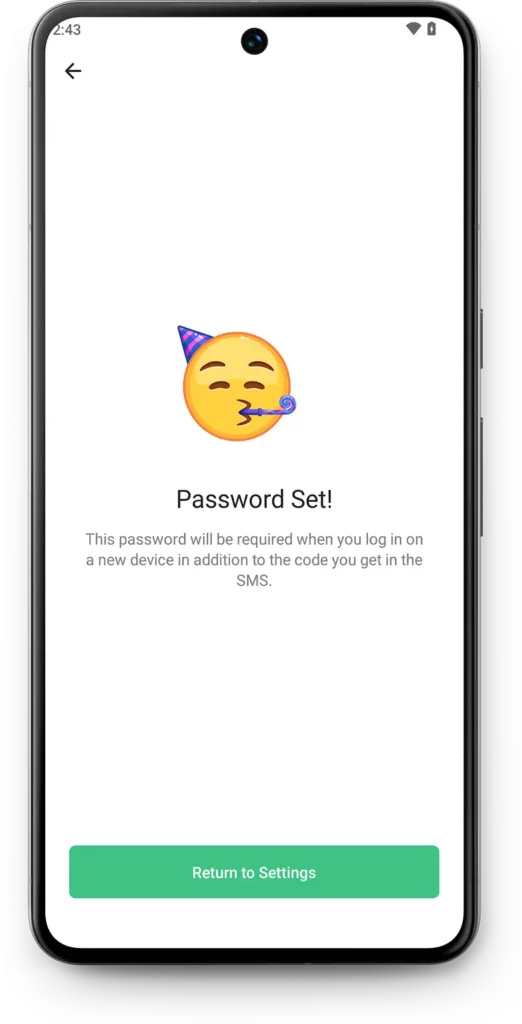
#### 5. Confirm the Setup
Once everything is in place, Telegram will notify you that **Two-Step Verification is enabled**. From now on, each time you log in on a new device, you’ll need:
* The regular **OTP code**
* Your **2FA password**
***
### Why Is Telegram 2FA So Important Right Now?
In today’s online environment, relying on a single-layer login system is no longer safe. **SIM swap attacks**, leaked OTPs, and phishing links are becoming increasingly common. **Telegram’s Two-Step Verification** offers a direct and user-friendly defense.
**In short**, enabling 2FA is not just smart—it’s essential.
> Once your account is protected, you might also want to **automate your workflows**, especially when it comes to forwarding messages across groups or channels.
>
> That’s where our solution comes in:\
> **🔁** [**Auto Forward for Telegtram**](http://t.me/Auto_Forward_Messages_Bot) is a smart Bot that automatically forwards messages between chats based on rules you set—saving time and ensuring consistency.
>
> It’s trusted by Telegram power users who need both **security and efficiency**.\
> \
> 👉 See more: [**How to Auto Forward Telegram Messages in 2025** ](https://blog.autoforwardtelegram.com/how-to-auto-forward-telegram-messages.html)
***
### How Telegram 2FA Stands Out
While most messaging apps offer two-factor authentication, Telegram adds several enhancements that make it more secure and user-centric:
* **No reliance on third-party apps**: Everything happens inside Telegram
* **End-to-end encrypted password storage**
* **Better control via device management** (`Settings > Devices`)
* **Smart recovery options** in case of password loss
Moreover, Telegram doesn’t bombard users with prompts. It strikes a balance between **security and convenience**.
***
### Extra Tips for Even Better Telegram Security
Turning on 2FA is a major step, but there are a few more things you can do to ensure your Telegram account is airtight:
* ✅ Regularly check active sessions in `Settings > Devices`
* ✅ Avoid logging in on public or shared devices
* ✅ Don’t ignore app updates—security patches matter
* ✅ Use biometric locks if your phone supports them
> **Security is a habit, not a one-time action.**
***
### In Conclusion: Don’t Wait Until It’s Too Late
Telegram Two-Step Verification (2FA) is one of the simplest yet strongest ways to defend your account. Whether you’re an everyday user or someone who relies on Telegram for business, **this feature is your best defense** against unauthorized access.
**So, don’t wait. Set it up today.**\
And if you found this guide helpful, share it with someone who hasn’t secured their Telegram account yet.
***